
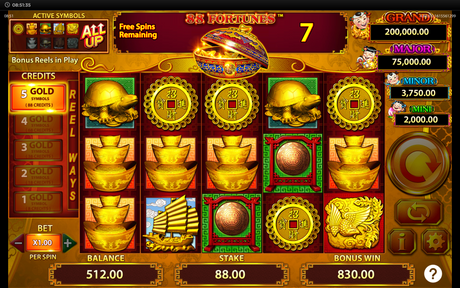
Browsing thousands of titles can be slower than expected if you rely only on the homepage. The quickest approach is to use the lobby’s search, provider filters and game categories in a deliberate order. This https://frozenflameweb.com guide explains how to narrow the display, distinguish casino games from sportsbook products, and check whether a title is available to your account. It also covers practical points for New Zealand players, including currency display, live tables, mobile browsing and responsible decisions. The aim is simple: spend less time scrolling and more time assessing the game you actually intend to open.
Start with the search box, not the homepage carousel
Homepage carousels are designed to highlight selected releases, popular titles, promotions and themed collections. They are useful for discovering something unfamiliar, but they are not the most efficient route to a known game. If you already have a title in mind, enter part of its name into the lobby search field. A distinctive word is usually more effective than typing the complete title, particularly when punctuation, spelling or a subtitle differs slightly.
Search by the main identifying word first. For example, a title containing “Cleopatra”, “Ramses” or “Bonanza” may appear even when the full name is not remembered. If the results remain broad, add a second word or apply a provider filter. Searching by studio can also help when you know the developer but not the exact release. The catalogue material describes provider navigation alongside title search, so these tools are best used together rather than separately.
After the results load, check that the displayed item is the correct version. Similar names can refer to different games, formats or releases, while a seasonal version may sit beside the standard title. Look for the studio name, thumbnail artwork and game type before selecting it. If no result appears, do not assume the title has been removed permanently: it may be unavailable in the current market, restricted by provider rules or listed under another spelling.
Use categories to narrow an unfamiliar catalogue
When you do not have a particular title in mind, category navigation provides a more controlled starting point. The lobby groups games into sections such as Pokies/Slots, Jackpot, Bonus Buy, Megaways, Instant Win, Drops & Wins, Hold & Win and Table Games. These labels describe broad formats or mechanics, so they can reduce a large catalogue to a manageable set without requiring knowledge of individual studios.

Collections offer another route. Classic Slots, Book Slots, Mythology, Fruit Slots, Asia and Vikings are organised around themes rather than technical features. A player looking for a familiar visual style may find these easier to use than provider lists. New and exclusive sections can highlight recent additions, while popular titles may show what is receiving attention on the platform. Neither label should be treated as a prediction of quality or winning potential; they are simply browsing arrangements.
Some categories need a closer look before opening a game. “Bonus Buy” indicates a feature that may allow access to a bonus round for a cost, but the exact rules and price belong to the individual title. “Hold & Win” and “Megaways” describe particular game styles, not guaranteed results. Read the in-game information panel when available, especially if you want to understand paylines, bonus features, volatility information or the stake range before committing funds.
Separate casino games from live tables and betting products
A broad platform can place several forms of entertainment under one navigation system. The casino lobby includes slots, jackpot games and table games, while live casino has its own areas for Blackjack, Roulette, Baccarat, Poker and game shows. Sports betting, esports and prediction products are separate activities, even if links to them appear beside casino navigation. Confirm the section heading before choosing a tile so that you do not confuse a pre-match market with a casino title.
Live tables require a different discovery method from slots. Instead of searching only for a game name, consider the table type first: standard roulette, speed roulette, blackjack, baccarat or a game show. Provider names can then help narrow the list where several versions are available. The catalogue references studios including Evolution, Pragmatic Play Live, Ezugi and Playtech, but the actual display may depend on country and provider restrictions.
Table labels also carry practical information. “Speed” may indicate a faster format, while “live” means the game is streamed with a dealer rather than operated solely through animated software. A familiar title can still have different rules, limits or side bets in separate versions. Open the information panel and review the displayed terms before deciding. For broader information about gambling support and safer choices, readers can consult New Zealand’s Gambling Helpline information.

Check availability before assuming a result is playable
A search result confirms that a title is listed, not necessarily that it can be opened under every account or location. The available catalogue can vary by market and provider restrictions. A game may be visible but temporarily unavailable, or it may disappear after a provider changes its distribution. If the tile produces an access message, check the lobby notice or Help Centre rather than repeatedly refreshing the page.
Currency can also affect how you interpret the lobby. NZD is listed as an accepted account currency, but the game screen may display stakes in the account currency or show selectable denominations. Do not assume that a displayed number is a New Zealand dollar amount unless the interface makes this clear. Before playing, confirm the selected currency, stake value and any minimum or maximum shown in the game or cashier.
Promotional placement should be treated separately from game availability. A title may appear in a featured collection because it is new, popular or linked to an offer, but that does not establish that its play qualifies for a particular promotion. Bonus terms can specify eligible games, wagering conditions and time limits. If a promotion influences your choice, read the offer shown in the account and its terms before making a deposit or selecting a title.
Build a quicker routine on mobile
The HTML5 mobile website is intended to work through a smartphone or tablet browser, so game discovery does not require assuming that an app is available for every device. A smaller screen makes category menus and promotional carousels more intrusive, which is another reason to use search first. Rotate the device if the game information panel is difficult to read, and close extra sections before evaluating the result.
Mobile browsing is particularly useful for shortlisting games, but convenience can encourage rushed decisions. Make the search task specific: choose a category, filter by provider or name, then inspect only a few results. Avoid opening multiple games simply because they are promoted on the landing page. If you are comparing titles, note their studios and formats in your own phone notes rather than relying on memory after several tabs or screens.
Before launching a game on mobile data, check that the connection is stable and that the balance, currency and account status are correct. The reviewed material does not specify every app-store requirement or operating-system version, so installation details should be checked through the operator’s stated download information. Whether using a browser or app, the same practical rule applies: browse first, understand the selected title, and only then decide whether to play.
Frequently asked questions about lobby searches
Why can’t I find a game by its full name?
The title may use different punctuation, a subtitle or an alternate spelling. Try one distinctive word, then add a provider filter. It may also be unavailable in your market or temporarily restricted. If the result still does not appear, check the lobby’s Help Centre or current availability notice rather than assuming the game has been permanently removed.
What is the difference between a category and a collection?
A category usually describes a format or mechanic, such as Jackpot, Megaways or Table Games. A collection is commonly arranged around a theme, style or browsing purpose, such as Mythology, Fruit Slots or popular releases. Both are discovery tools, and neither indicates that a game offers better odds or a guaranteed outcome.
Should I choose a game because it appears as popular?
Popularity only explains how the lobby groups or promotes a title. It does not establish its return, volatility, rules or suitability for your budget. Open the game information panel and review the displayed details before playing. If the title is linked to a bonus, check the separate promotion terms as well.